
Acculogic Technologies is a trust partner of Claris FileMaker to provide an array of custom app development, supporting, and consulting services to meet our customers' unique business needs.
In Acculogic, our Claris FileMaker certified developers are ready to help.
Claris FileMaker Pro
Acculogic can make a difference to your business with unique approach to custom database development and consulting services.

Our primary goal is to build custom computer applications for our clients to let them do more business using fewer people hours to get it done. We have been developing database solutions for over a decade. We work closely with you to create a system precisely tailored to your business requirements. No matter what issues you have with your data at the moment, we can help.
How is database management software different than a spreadsheet?
Database management software and spreadsheets may seem similar but there are important differences.
A spreadsheet excels at number crunching, not at database management. Spreadsheets let you change a number such as an interest rate and see what impact it has on other numbers. it’s important to know when a database is the right tool for a job.
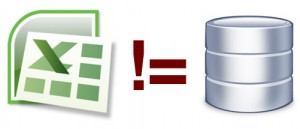
For example, a family “gift list” done on a spreadsheet for the family’s annual gathering is probably good enough. It’s not a database, but it will do the job you need it to. Now, consider a small or medium business that wants the “gift list” for its 5000 clients, sorted by those who have spent over $5,000 in the last two years, and divided up by region – by tomorrow. You might be able to glean this information from your spreadsheet, but it probably wouldn’t be easy nor would it be a cost-effective use of your time.
We develop database solutions with FileMaker and PHP/MySQL.
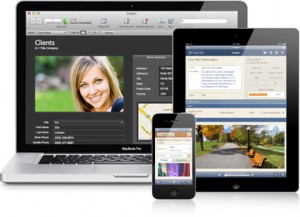
FileMaker – Database solution for iPad, iPhone, Windows, Mac and the web
FileMaker Pro is powerful, easy-to-use database software that helps you and your team get any task done faster. Millions of people in business, government, and education use FileMaker Pro to effortlessly manage all their information on iPad, iPhone, Windows, Mac and the web. FileMaker is available in worldwide English, Chinese (both simplified and traditional), Czech, Dutch, French, German, Italian, Japanese, Polish, Portuguese, Spanish, Swedish, and Turkish.
Why choose FileMaker?
Millions of people in business, government, and education use FileMaker and Filemaker Consultants to effortlessly manage all their information on Windows, Mac, and the web. Between 2003 and 2009, FileMaker Pro won more awards than its eight nearest competitors combined. FileMaker is an all-in-one tool to develop database systems for small, midsize and large companies, serving up to 1000 users. As a front-end tool, it can connect to enterprise systems via ODBC and XML. FileMaker Pro is a fully cross-platform multi-user networked software program that is available for both Windows and Mac OSX.
What technical background do I need to use FileMaker?
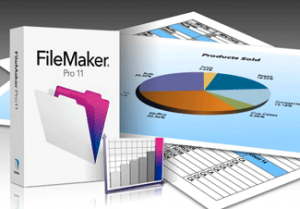
Database required specialized expertise to design and develop based on your business requirement at the first stage. People with little computer knowledge can easily learn how to operate FileMaker database with its rich graphic user interface. Creating invoices and reports is as simple as a few clicks. For almost any business or personal project, FileMaker helps you spend less time managing the details, and more time grow your business.